For: Everyone · Time: about 1 minute
You need: a Resource Flow login
Choose the page Resource Flow opens when you log in. Team members often pick Timesheets or My Schedule; managers often pick a group or project schedule.
Choose your start page
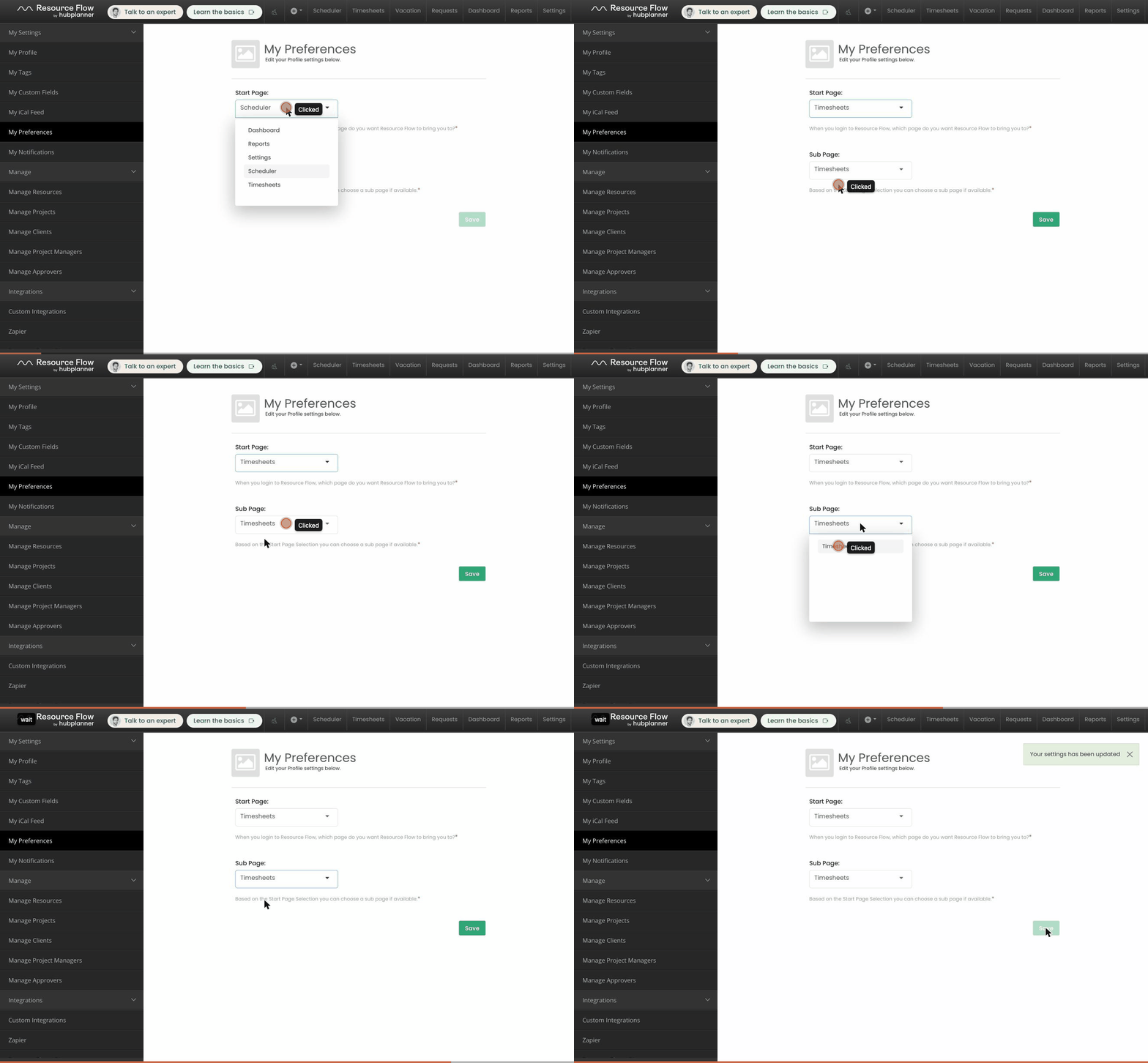
- Go to Settings → My Settings → My Preferences.
- Under Start Page, choose Dashboard, Reports, Settings, Scheduler or Timesheets.
- If you chose Scheduler, use Sub Page to pick exactly which view opens: My Schedule, a group, or a project.
- Click Save.
You'll land on this page every time you log in, and whenever you click the Resource Flow logo.
ℹ️ Note: This setting only affects you. Each person chooses their own landing page.
Related articles
Was this article helpful?
That’s Great!
Thank you for your feedback
Sorry! We couldn't be helpful
Thank you for your feedback
Feedback sent
We appreciate your effort and will try to fix the article