For: Everyone · Time: about 3 minutes
You need: a scheduler open
Personal preferences change how the scheduler looks for you only. Nobody else's view changes.
Open your preferences
Click the gear icon at the top right of any scheduler to open the Personal Preferences panel. Changes apply straight away.
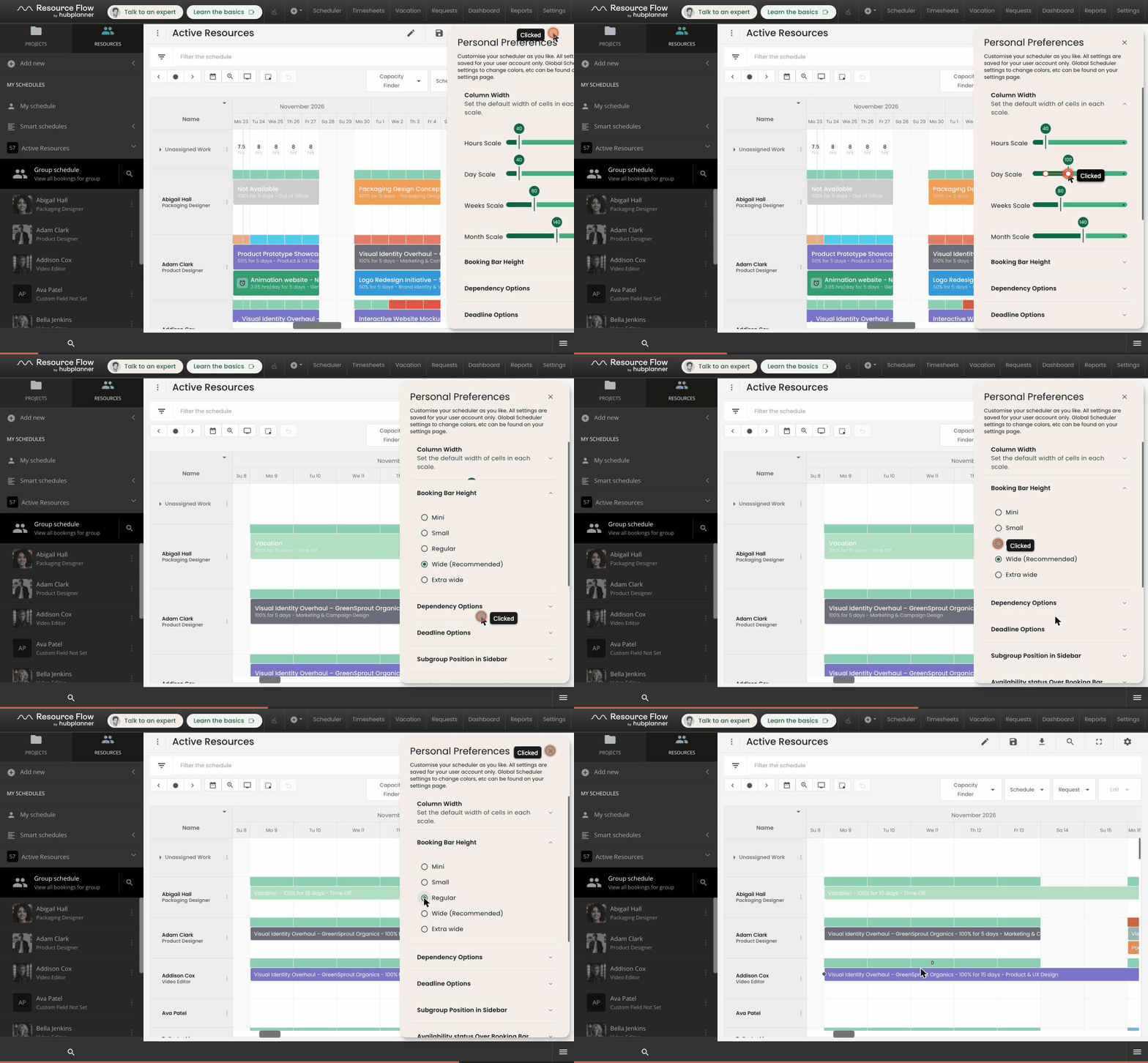
What you can change
| Preference | What it controls |
|---|---|
| Column width | Width of each cell for the hours, day, week and month scales. Wider columns show more booking detail |
| Booking bar height | Mini, Small, Regular, Wide (recommended) or Extra wide |
| Dependency options | Line style (dotted, dashed, solid), colour, and when lines show (always, on click, hidden) |
| Deadline options | Diamond and line colour, position above or below bookings, and visibility |
| Subgroup position | Show subgroups at the top or bottom |
| Availability status | How the bar above each booking shows capacity: colour only, numbers on hover, or numbers always. Green is fully booked, blue is under-booked, red is over-booked |
| Booking menu | Classic or Modern right-click menu |
| Default layout and scale | The view and scale the scheduler opens with |
| Booking tooltip | Delay before the hover tooltip appears, or turn it off |
| Week numbers | Show week numbers in the header |
| Scheduler footer bar | Quick duplicate, copy and edit, notes, booking links, tasks and quick search (recommended) |
| Milestones | Show project milestones |
| Smart moving | Skip non-working days when you drag bookings (keep this on) |
| Group overlapping bookings | Stack overlapping bookings into one row for a cleaner view; click to expand |
? Tip: If bookings look cramped at week scale, widen the Weeks Scale column rather than switching to day scale.
ℹ️ Note: Settings that change the scheduler for everyone, such as booking colours, are admin settings under Settings → Account Settings.
Related articles
Was this article helpful?
That’s Great!
Thank you for your feedback
Sorry! We couldn't be helpful
Thank you for your feedback
Feedback sent
We appreciate your effort and will try to fix the article