Routines help your company define how work should be performed in a consistent and standardized way. They provide clear instructions for recurring tasks, support onboarding and training, and help ensure that teams follow the same processes across projects and departments.
Find Routines in Quality → Routines.
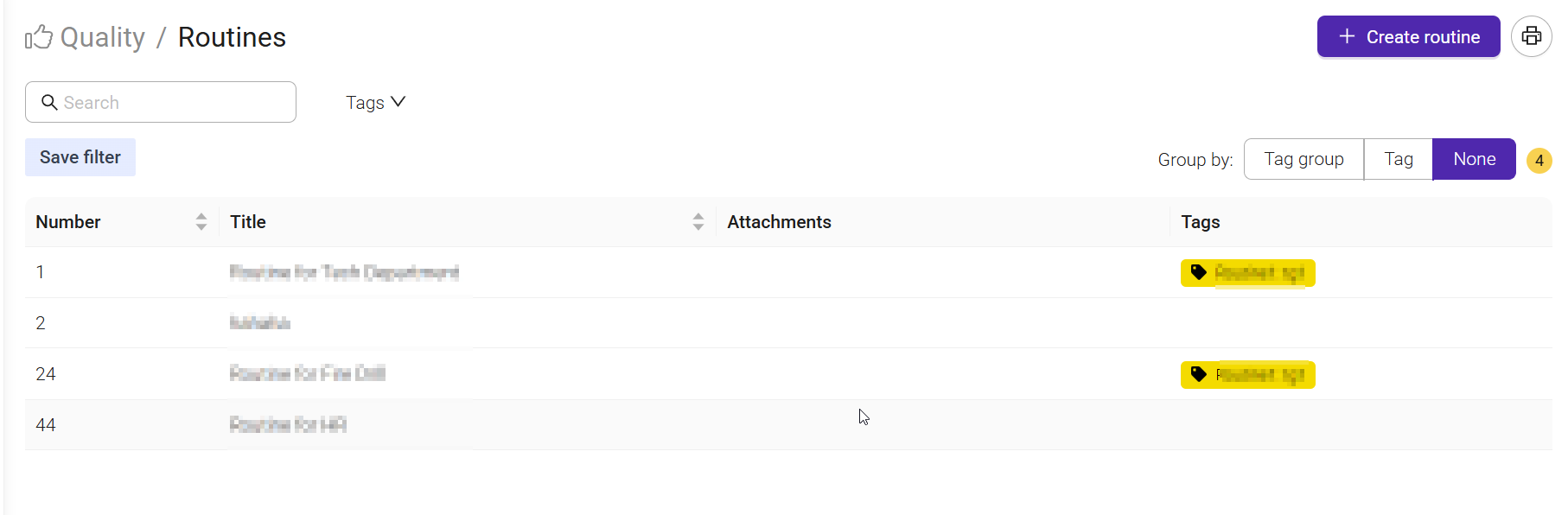
The Routines page is used to create, manage, and organize work instructions in one central location.
You can use the search field and tags to quickly find relevant routines, while grouping options help organize routines by category. Each routine can include attachments, such as documents or templates, to provide additional information.
To create a new routine, select Create routine and a new window will open.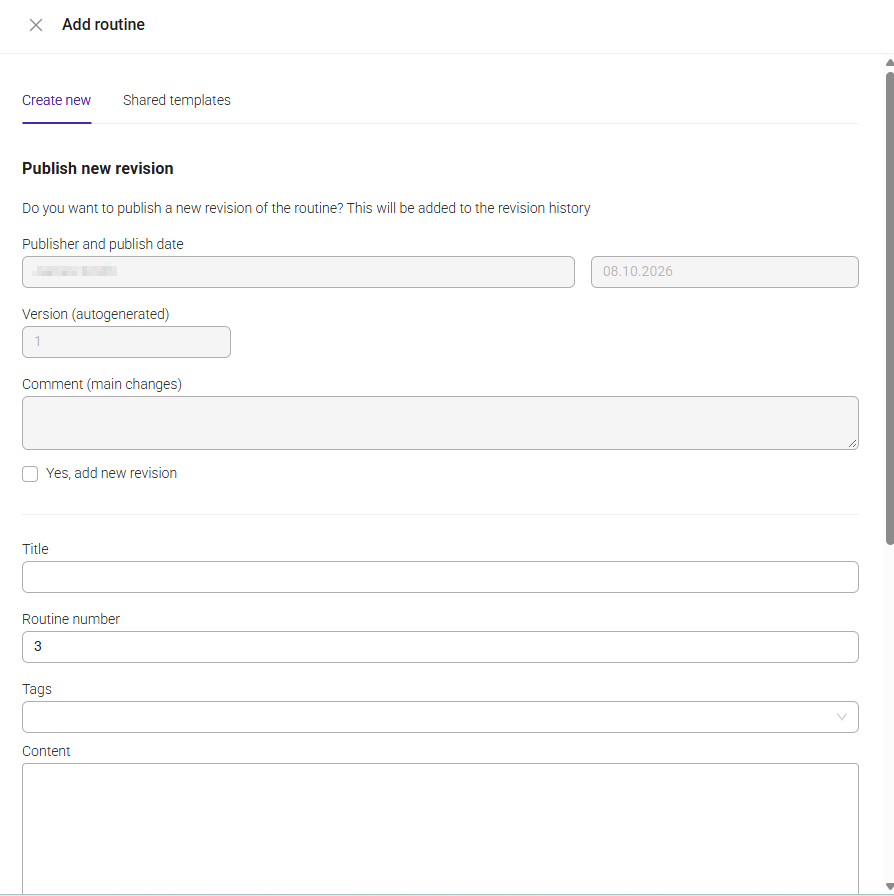
When creating a routine, you can define how the instruction should be used, maintained, and shared across your organization.
The Title and Routine number help identify the routine, while Tags can be used to categorize it and make it easier to find later.
In the Content field, you can add the instructions, guidelines, or best practices that users should follow.
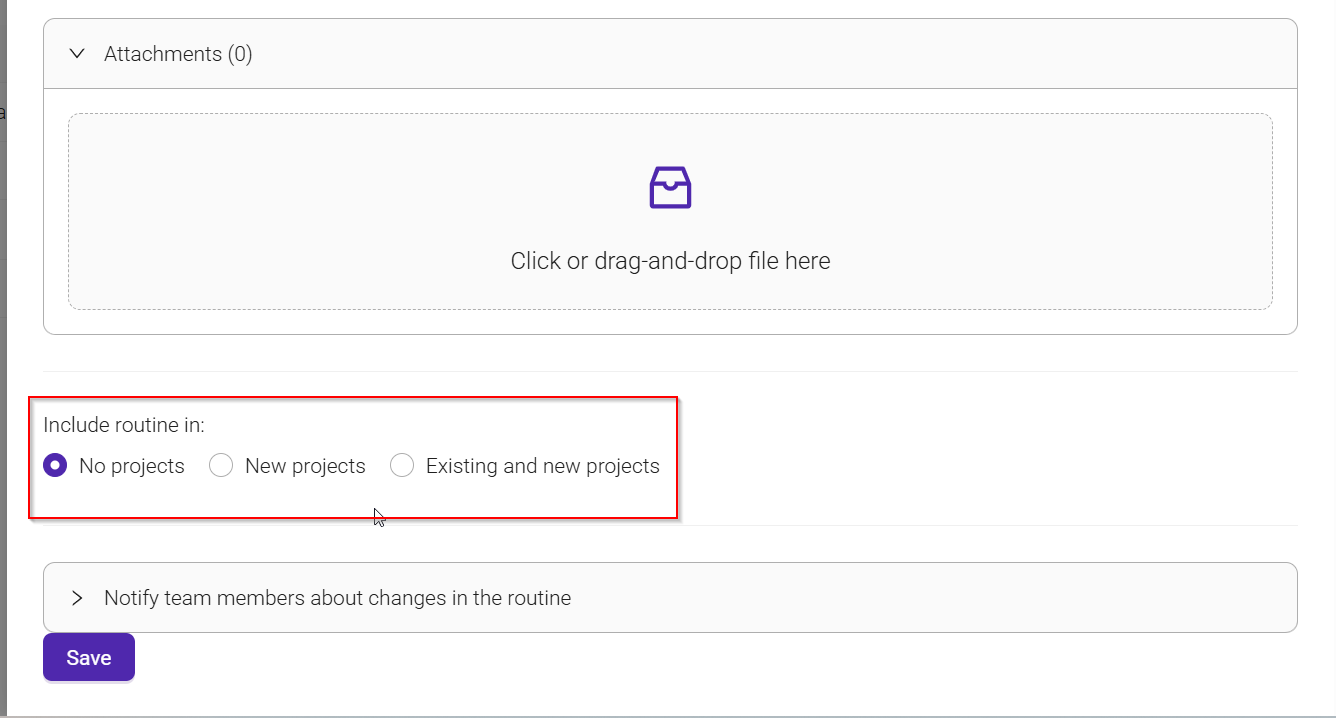
You can also add attachments, such as documents, templates, checklists, or images, to provide additional information and support.
The Include routine in setting determines where the routine will be available:
- No projects: The routine is stored in the routine library and is not automatically linked to any projects.
- New projects: The routine is automatically added to projects created in the future.
- Existing and new projects: The routine is added to both current and future projects, ensuring consistent use across all relevant work.
To maintain version control, you can publish a new revision whenever significant changes are made. Each revision is recorded in the revision history, making it easy to track updates over time. You can also include a comment describing the main changes introduced in the new version.
If a routine is updated, you can choose to notify team members about the changes, helping ensure that everyone is working according to the latest instructions and procedures.
Once created, routines can be linked to projects and tasks, making instructions available directly where the work is performed. This helps improve consistency, knowledge sharing, and compliance across the organization
Because routines are managed centrally, updates are automatically available to everyone who uses them.
Was this article helpful?
That’s Great!
Thank you for your feedback
Sorry! We couldn't be helpful
Thank you for your feedback
Feedback sent
We appreciate your effort and will try to fix the article