For: Admins · Time: about 20 minutes
You need: admin access in Resource Flow
As an admin you set Resource Flow up for everyone. Work through these steps in order and your team will be ready to schedule.
Set up your account
- Account settings. Go to Settings → Account Settings to set your company name and URL, working week, week start, default currency and calendar subscription.
→ Account settings explained - Availability and holidays. Set company working hours, then give part-timers custom availability and assign public holiday calendars.
→ How to set global and custom availability - Add your people. Add resources one at a time or in bulk, give each a role and status, and invite those who need to log in.
→ Add, invite and edit a resource · Add and invite resources in bulk (CSV) · Resource roles and statuses explained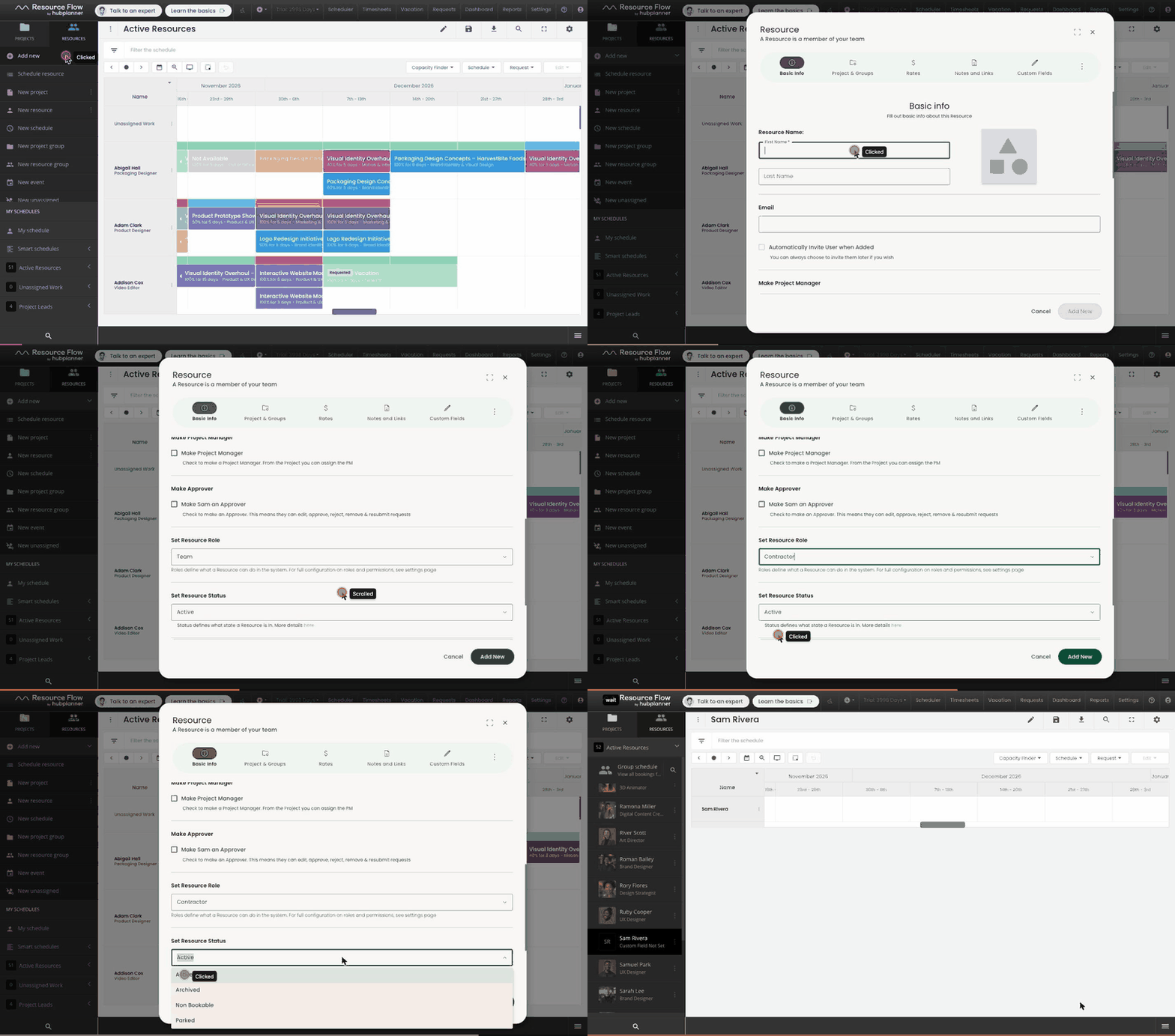
Adding a resource with a role and status
- Custom fields. Add fields such as location, department or skills so managers can filter and report. Organise long lists into groups.
→ Set up and assign custom fields · Custom field groups - Projects and groups. Add your projects and set up groups for each team.
→ How to add a new project · How to create a manual group - Timesheets. Choose whether approvals and notes are required, which projects people can log time against, and how statuses lock.
→ Timesheet settings explained
? Tip: Park people who leave rather than deleting them, so their history stays in your reports.
? Tip: Moving from another tool? Ask your account manager about importing projects, resources and bookings.
Related articles
Was this article helpful?
That’s Great!
Thank you for your feedback
Sorry! We couldn't be helpful
Thank you for your feedback
Feedback sent
We appreciate your effort and will try to fix the article